


Close Menu
Soup.io
  • Home
  • News
  • Technology
  • Business
  • Entertainment
  • Science / Health
Facebook X (Twitter) Instagram
  • Contact Us
  • Write For Us
  • Guest Post
  • About Us
  • Terms of Service
  • Privacy Policy
Facebook X (Twitter) Instagram
Soup.io
Subscribe
  • Home
  • News
  • Technology
  • Business
  • Entertainment
  • Science / Health
Soup.io
Soup.io > News > Technology > What Is A KVM Switch and Why Do You Need One?
Technology

What Is A KVM Switch and Why Do You Need One?

Cristina MaciasBy Cristina MaciasAugust 4, 2022Updated:August 5, 2022No Comments2 Mins Read
Facebook Twitter Pinterest LinkedIn Tumblr Email
KVM Switch
Share
Facebook Twitter LinkedIn Pinterest Email

KVM switches can do a lot when it comes to becoming more efficient in the computer productivity front. If you haven’t had the chance to set up a dual monitor KVM, or any other multiple display PC setup then now is the time to do so.

What is a KVM Switch Function?

KVM, or keyboard video mouse is a type of hardware that allows users to control and navigate through several computers and devices using multiple displays, mice and keyboards. In simpler terms, it’s a hardware or device that lets you control computer setups using a standard keyboard and mouse combo.
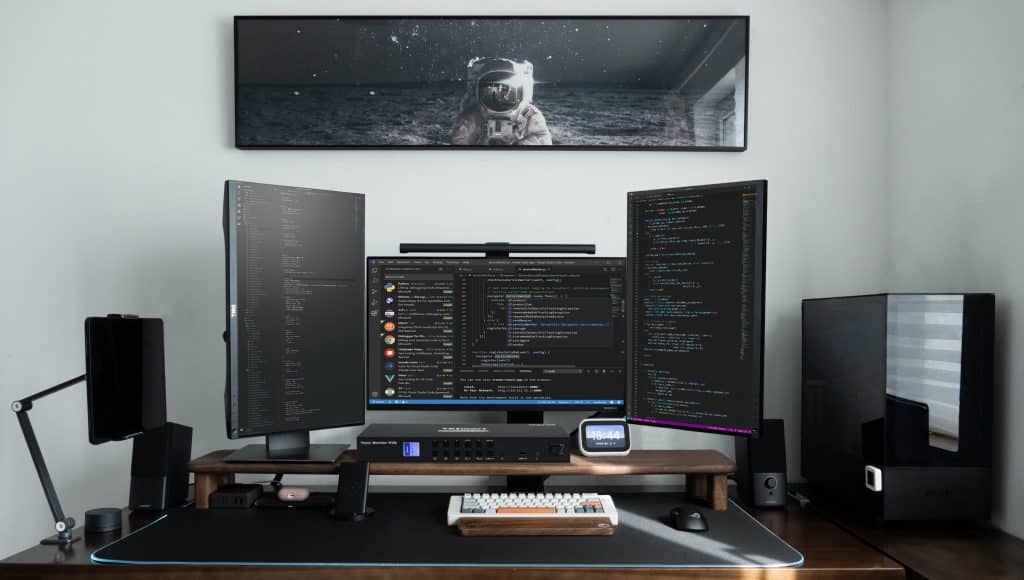
The potential of a KVM switch function is immense, especially if you’re on multiple devices every single day. It can be for work, for your home computer setup or for leisure and gaming activities, among others. These days, the most popular type of KVM is an HDMI KVM switch since HDMI is a commonly used port for connecting a computer to a display, such as a TV or monitor.

The beauty of KVM is that you can mix and match, as well as be able to configure virtually any PC setup KVM depending on what you want. It will prove to be a useful, if not an essential part of your work or business platform.

Why Use a KVM Switch?

If you’re wondering if a KVM switch is worth it, then the answer is a definite yes. You can eliminate complicated computer and input setups and save money by having a single set of mouse and keyboard control two computers, for example.

For those who want a quality KVM switch, you can try TESmart.com. Aside from the quality product, you get several benefits such as an official warranty, free EU and US shipping and order tracking. You’ll be able to set up the KVM hardware right away, thanks to video guides and tutorials in-site.

Share. Facebook Twitter Pinterest LinkedIn Tumblr Email
Previous ArticleWhat Can Blank Plastic Cards Be Used For?
Next Article Prepare for Your First Duck-Hunting Season With This Gear
Cristina Macias
Cristina Macias

Cristina Macias is a 25-year-old writer who enjoys reading, writing, Rubix cube, and listening to the radio. She is inspiring and smart, but can also be a bit lazy.

Related Posts

Revolutionizing restaurant management with cloud technology

December 4, 2025

ZetSIM Japan eSIM 2025 – Is It Worth Your Money?

December 4, 2025

YES TECH MG: Top LED Screens for Rental

December 3, 2025

Subscribe to Updates

Get the latest creative news from Soup.io

Latest Posts
How To Find The Best Gold IRA Company
December 8, 2025
Fandango At Home Steam Deck: Discontinuation Matters for Users
December 8, 2025
Sorrowful Jones Cast: A Journey of Redemption
December 8, 2025
Hastings PAC: Reed Hastings’ Journey to Success
December 8, 2025
How Staffing Companies Can Make Workers’ Comp More Affordable
December 8, 2025
DIY Laser-Engraved Christmas Ornaments to Make This Season Shine
December 8, 2025
Workers’ Compensation Basics Every Cleaning Company Should Review
December 8, 2025
Tips to Increase Your TikTok Video Views Fast
December 8, 2025
Easy Ways to Get More Members on Your Discord Server
December 8, 2025
Easy Ways to Get More Comments on Instagram in 2026
December 8, 2025
Is Working with a Mortgage Broker in Singapore a Wise Decision?
December 8, 2025
How Digital Graphic Services and Strategic Marketing Can Transform Your Brand’s Online Presence
December 8, 2025
Follow Us
Follow Us
Soup.io © 2025
  • Contact Us
  • Write For Us
  • Guest Post
  • About Us
  • Terms of Service
  • Privacy Policy

Type above and press Enter to search. Press Esc to cancel.